

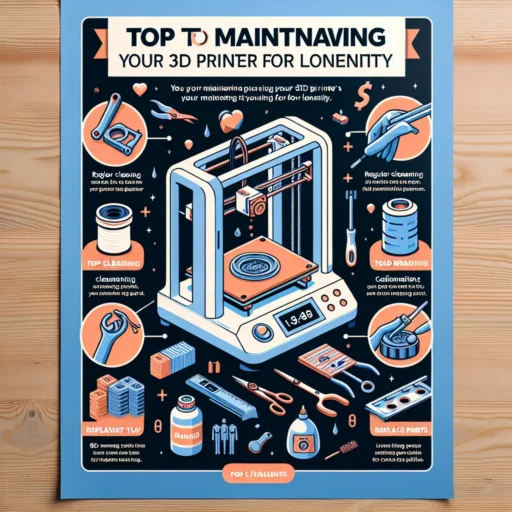


Top Tips for Maintaining Your 3D Printer for Longevity
If you’ve recently entered the exciting world of 3D printing, you know just how thrilling it is to watch your ideas materialize layer by layer. It’s almost magical! However, just like any complex machine, your 3D printer requires a bit of TLC (tender loving care) to keep it running smoothly. Taking the time for regular maintenance can significantly extend its life and keep those creative juices flowing without interruption. So, let’s dive into some top tips for maintaining your 3D printer and ensuring it stays in tip-top shape for years to come.
Keep It Clean
One of the easiest yet often overlooked aspects of printer maintenance is cleanliness. Dust and debris can accumulate on your printer, affecting its performance. Use a can of compressed air to blow out any dust from the inside of the printer, particularly around the electronics and the hot end. Wipe down the exterior and surfaces around the printer regularly to keep things tidy. Don’t forget to clean the build plate, as leftover residue from prints can cause adhesion problems and affect the quality of your future creations.
Level the Bed
Much frustration in the 3D printing process comes from issues with bed leveling. An unlevel bed can lead to poor adhesion, warping, and even failed prints. Take the time to level your print bed before each session. Many printers come with automated bed leveling features, but if yours doesn’t, go old school! Use a piece of paper between the nozzle and build plate to check the distance. A well-leveled bed ensures that every print starts on solid ground (or, you know, plastic!).
Maintain the Extruder
Your extruder plays a crucial role in the printing process, and it’s essential to ensure it’s clean and well-lubricated. Over time, filament residue can accumulate in the nozzle, leading to clogs that ruin your prints. To keep this from happening, perform a “cold pull” or use cleaning filament periodically. Also, don’t forget to periodically check the gears and bearings for signs of wear and apply a little lubricant if needed.
Regular Software Updates
Just like your smartphone or computer, your 3D printer’s firmware may need updates to ensure optimal performance. Manufacturers often release updates to fix bugs, improve performance, or enhance features. Regular updates can make a world of difference in print quality and reliability. Make it a habit to check the manufacturer’s website or the printer’s interface for any new updates and follow the instructions to keep your printer’s software fresh and functional.
Calibration is Key
Regular calibration can prevent a mountain of headaches (and failed prints!) down the line. Pay attention to the settings for temperature, extrusion, and speed. In addition to checking bed leveling, you’ll want to make sure your printer is calibrated for the specific material you’re using. Different filaments may require different temperatures and settings, so it’s all about finding that sweet spot!
Keep an Eye on the Filament
The filament you use can greatly affect both the quality of your print and the longevity of your printer. Store your filament properly in a cool, dry place and consider using airtight containers with desiccants to keep moisture at bay. If filament absorbs moisture, it can lead to issues during printing, such as popping noises, steam, and bubbling. It’s like serving a fine wine; treat it right for the best results!
Monitor the Cooling System
Most 3D printers use fans to cool off the hot end and the printed model. Regularly check these fans to ensure they’re functioning correctly. A malfunctioning fan can lead to overheating and significant damage over time. Cleaning dust from the fan blades will also help improve their longevity and efficiency.
Invest in Quality Parts
When it comes to parts replacements—like nozzles, belts, and bearings—don’t skimp. Investing in high-quality components instead of the cheapest options can save you money and time in the long run. Quality parts tend to last longer and perform more reliably, allowing your 3D printer to reach its full potential.
Document Your Processes
Lastly, it might just be the most useful tip of all: keep a maintenance log! Documenting what you’ve done and when can help you identify patterns, catch potential issues early, and maintain a clearer understanding of your printer’s needs.
Maintaining your 3D printer doesn’t have to feel daunting! By taking a proactive approach and regularly performing these essential tasks, you’ll not only extend the life of your printer but make every print session smoother and more enjoyable. So, roll up your sleeves, and show your 3D printer the love it deserves! Happy printing!


