

Mastering 3D Printing Settings for Bambu Lab Printers
3D printing has taken the world by storm, and the introduction of printers like those from Bambu Lab has only added to the excitement. With their sleek design and impressive features, Bambu Lab printers are a fantastic choice for both beginners and seasoned pros. However, to truly unlock their potential, one must dive into the nitty-gritty of 3D printing settings. Let’s explore how to optimize your Bambu Lab print settings and achieve stunning results.
Understanding the Basics
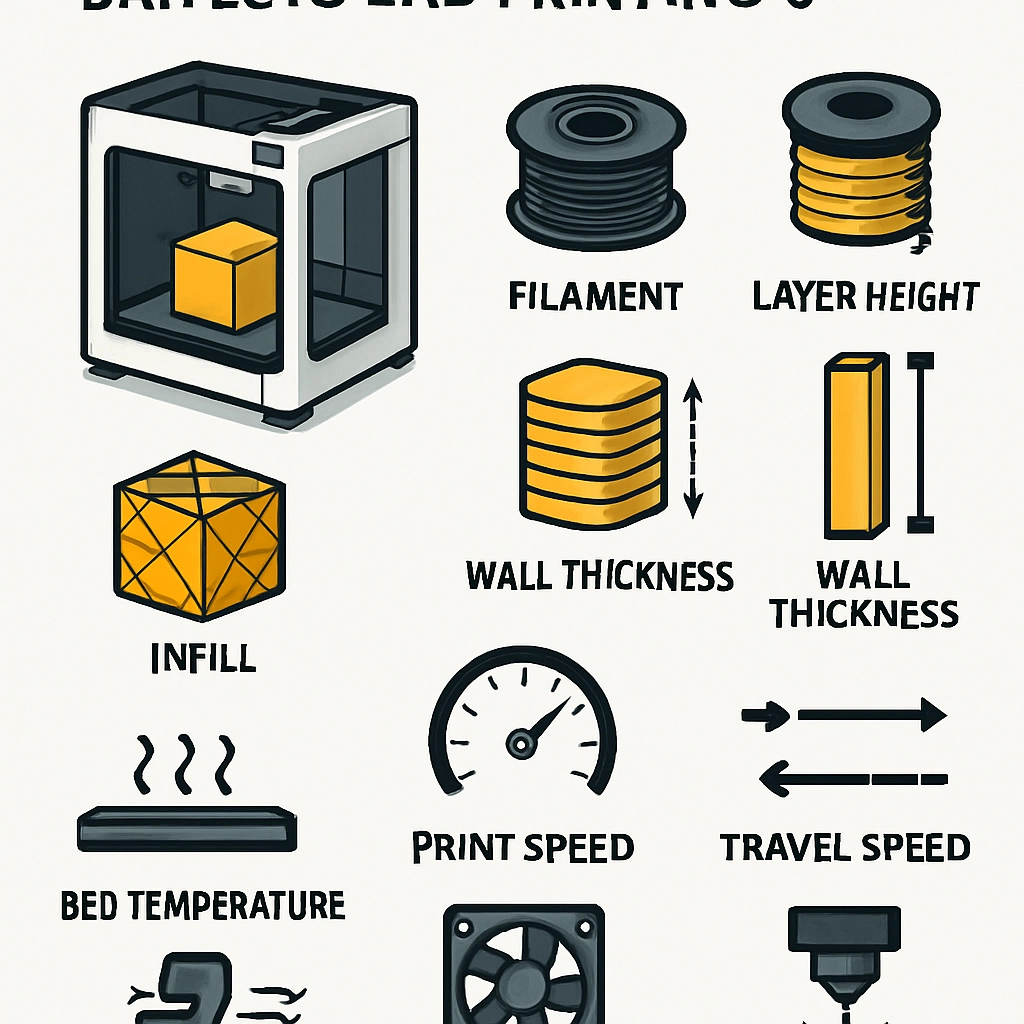
Before we dive into the specifics, let’s brush up on some basic terms. When setting up your 3D printer, you’ll need to configure parameters like layer height, print speed, infill density, and retraction settings. Each of these elements affects not only the quality of your print but also the time it takes to complete a project.
-
Layer Height: This determines the thickness of each layer your printer lays down. Smaller layer heights can yield finer detail but will take longer to print, while thicker layers can speed things up but might sacrifice detail.
-
Print Speed: This refers to how quickly the printer moves. Faster speeds can often lead to issues with print quality, while slower speeds can help achieve more intricate designs.
-
Infill Density: This setting dictates how solid the interior of your print will be. A higher infill density adds strength but also uses more material and increases print time.
-
Retraction Settings: This controls how the filament is pulled back into the nozzle when the printer changes direction. Proper settings can prevent stringing and other filament flow-related issues.
Getting to Know Your Bambu Lab Printer
Bambu Lab printers come with user-friendly interfaces and preset profiles for common materials. That said, tweaking these settings according to your specific project can lead to much better results. Here are some tips for mastering your printer settings:
1. Start with Quality Profiles
Bambu Lab often provides pre-configured quality profiles for different materials like PLA, ABS, and PETG. It’s a great idea to start with one of these profiles, as they’re tailored to the specific filament you’re using. From there, you can make incremental adjustments.
2. Tweak Layer Heights
For detailed prints that require precision, start with a layer height of 0.1 mm to 0.2 mm. If you are printing something larger or less intricate, you can increase that to 0.3 mm or more, allowing for a faster print. Keep in mind, though, that as you increase layer height, some details may be lost.
3. Adjust Print Speed
Bambu Lab printers excel at faster printing speeds. However, if you’re encountering issues like warping or poor layer adhesion, try reducing the speed by 10-20%. A reasonable starting point is around 60-80 mm/s for general purposes. You can incrementally increase this as you feel more comfortable with your printer’s capabilities.
4. Experiment with Infill
For most prints, a 20% infill density strikes a good balance between strength and material use. For functional parts that need durability, consider bumping this up to 40-60%. If you’re testing a design, lower infill settings can save material. Just remember, the more complex the geometry, the higher the density you might need.
5. Fine-Tune Retraction Settings
Retraction settings can be a bit tricky. If you notice stringing—those pesky little threads of filament left behind during travel moves—you might need to increase the retraction distance or speed. A good starting point is to set the retraction distance around 1 mm to 2 mm, depending on the filament used.
The Importance of Temperature
Temperature settings can be the make-or-break factor for a successful print. Every filament type has a recommended temperature range, and it’s worth conducting temperature tower tests to determine the sweet spot for your specific spool. It’s amazing how much difference a few degrees can make in adhesion and print quality.
Embrace the Learning Curve
3D printing is as much about trial and error as it is about technology. Don’t get discouraged if your first few prints don’t come out perfectly—every misstep is an opportunity to learn. Document your settings and results so you can refer back to what worked or what didn’t.
In the ever-evolving world of 3D printing, the ability to master your Bambu Lab printer’s settings will elevate your projects from basic to breathtaking. By understanding the fundamentals and patiently experimenting with your machine, you’ll soon find yourself creating impressive designs with ease. So go on, unleash your creativity, and let the magic of 3D printing transform your ideas into reality. Happy printing!