How to Maintain Your 3D Printer for Optimal Performance
3D printing has revolutionized various industries, from prototyping to manufacturing, by enabling users to turn digital designs into tangible objects. However, achieving consistent and high-quality prints requires proper maintenance of your 3D printer. Whether you’re a hobbyist or a professional, taking time to care for your machine can significantly enhance its performance and longevity. In this blog post, we’ll outline the best practices for maintaining your 3D printer for optimal performance.
1. Regular Cleaning
One of the most essential steps in maintaining your 3D printer is to keep it clean. Dust, debris, and filament residue can accumulate over time, affecting both print quality and the machine’s mechanics.
Tips for Cleaning:
- Surface Wipe: Regularly wipe down the exterior of your printer with a soft, lint-free cloth. Avoid using harsh chemicals; a mild detergent solution is often sufficient.
- Print Bed Maintenance: Clean the print bed after every few prints. Use isopropyl alcohol or specialized printer bed cleaning solutions to eliminate residue and provide better adhesion for future prints.
- Nozzle Cleaning: Clogged nozzles can lead to poor extrusion and print failure. Perform a cold pull with a cleaning filament or use a needle to clear any blockages.
2. Lubrication
Proper lubrication of moving parts ensures smooth operation and minimizes wear and tear. Insufficient lubrication can lead to stuttering, missed steps, and excessive noise during operation.
Lubrication Steps:
- Linear Rods and Rails: Apply a suitable lubricant to the linear rods and rails on a monthly basis, ensuring they move freely and don’t encounter unnecessary friction.
- Lead Screws: Apply a small amount of grease to lead screws or threaded rods periodically. Too much grease can attract dust, so moderation is key.
3. Check the Belts and Pulleys
The belts and pulleys in your 3D printer play a crucial role in maintaining accuracy and precision. Worn or loose belts can result in misaligned layers and uneven prints.
Belt Maintenance:
- Tension Check: Regularly check the tension of your belts. They should be tight enough to avoid slipping but not so tight that they cause strain on the motors.
- Belt Condition: Inspect for frays, cracks, or wear. Replace belts that show signs of damage to maintain print quality.
4. Calibration
Calibration is vital to ensure your prints meet desired specifications and quality. Regularly calibrating your 3D printer can help prevent printing problems.
Calibration Tips:
- Bed Leveling: Make sure your print bed is level before each major print session. Many modern printers come with auto-leveling, but manual checks can help when you’re changing materials or print surfaces.
- E-steps Calibration: Check the steps per millimeter (E-steps) in your extruder settings. Miscalibrated E-steps can lead to over or under-extrusion, impacting the overall print quality.
5. Monitor Filament Quality
The choice and condition of filament can greatly influence print results. Low-quality or improperly stored filament can lead to printing issues.
Filament Care:
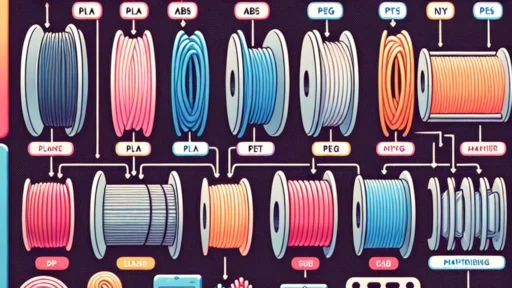
- Storage: Store filament in a cool, dry place, preferably in vacuum-sealed bags with desiccant to prevent moisture absorption, which can lead to bubbling and poor-quality prints.
- Quality Check: Before loading filament, check for tangles or knots that could interfere with smooth feeding into the extruder.
6. Firmware and Software Updates
Your 3D printer’s firmware plays an essential role in its performance. Outdated firmware can lead to bugs and compatibility issues with slicing software.
Update Procedures:
- Check Manufacturer’s Website: Regularly visit the manufacturer’s website for firmware updates and instructions on how to apply them.
- Slicing Software: Keep your slicing software up to date to take advantage of new features and improvements that can enhance print quality.
7. Monitor Temperature Settings
Different filaments require specific temperature settings for optimal performance. Improper temperature settings can lead to issues such as stringing, warping, and poor layer adhesion.
Temperature Tips:
- Extruder Temperature: Refer to the filament manufacturer’s guidelines for ideal extruder temperatures. Experiment within a small range to find what works best for your printer and material.
- Bed Temperature: Similarly, adjust the heated bed temperature appropriately for different filament types.
Conclusion
Maintaining your 3D printer is critical to achieving high-quality prints and prolonging the life of the machine. By following these best practices—regular cleaning, lubrication, calibration, belt checks, and monitoring filament—you can ensure that your 3D printer consistently performs at its best. Investing time in printer upkeep not only saves you from headaches down the road but also enhances the overall printing experience. Happy printing!