
A Beginner’s Guide to 3D Printing with Bambu Lab
If you’ve ever daydreamed about printing your own custom toys, handy household items, or even intricate art pieces, then welcome to the fascinating world of 3D printing! Today, we’re going to dive into Bambu Lab, one of the hottest names in the 3D printing realm. Whether you’re a hobbyist or just curious about what 3D printing can offer, let’s unpack everything you need to know as a beginner.
What is 3D Printing?
At its core, 3D printing, also known as additive manufacturing, is a process that creates three-dimensional objects layer by layer using a digital file. Imagine building something with LEGO bricks, but instead of stacking each piece, a printer adds material one thin layer at a time. This innovative technology allows for incredible design freedom and can turn your creative ideas into reality!
Why Choose Bambu Lab?
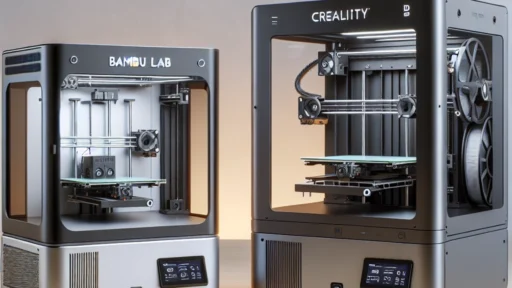
Bambu Lab has captured the hearts of both beginners and experienced users with its cutting-edge technology and user-friendly designs. Their printers, such as the Bambu X1 Carbon, are well-regarded for their speed, quality, and ease of use. Plus, they come with a robust software ecosystem that simplifies the printing process, making it a great choice for newcomers.
Getting Started: What You Need
Before diving into 3D printing, there are a few essential items you’ll need:
-
A 3D Printer: Start with a model from Bambu Lab that fits your needs. The Bambu X1 Carbon is a fantastic choice as it combines quality and speed, and it’s easy to set up.
-
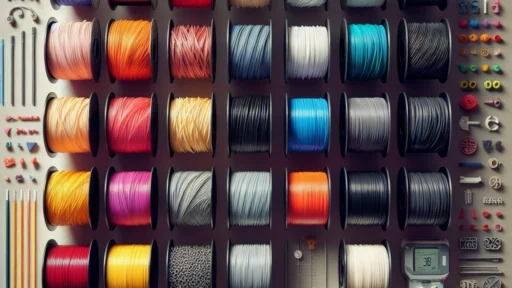
Filament: This is the material used to create your prints. Bambu Lab recommends their specially designed filaments, including PLA, PETG, and ASA, that are compatible with their printers.
-
Slicing Software: Before printing, you’ll need to convert your 3D model into a format your printer can understand. Bambu Studio is Bambu Lab’s slicing software, which is both intuitive for beginners and powerful for advanced users.
The Printing Process: Step by Step
Now that you have your essentials, let’s walk through the printing process:
-
Design or Find a Model: If you’re feeling creative, you can design a 3D model using software like Tinkercad or Fusion 360. Alternatively, check out websites like Thingiverse or MyMiniFactory, where you can download thousands of free designs.
-
Prepare Your Model: Open your model file in Bambu Studio, where you can adjust settings like size, orientation, and supports. The software also provides useful previews so you can see exactly how your print will look.
-
Slice the Model: Once your model is ready, it’s time to slice it. This process converts your model into G-code, which tells your printer how to create your object layer by layer. Bambu Studio has various presets that make this easy, especially for beginners.
-
Load the Filament: Follow the instructions to load your chosen filament into the printer. Make sure the printer is at the right temperature for the material you’re using.
-
Start Printing: After everything is set up, hit that print button! Watch as your printer slowly brings your design to life. Depending on the complexity of your model, this could take anywhere from a few minutes to several hours.
-
Post-Processing: Once your print is finished, you may need to do some cleanup. This can include removing supports, sanding rough edges, or painting your model if desired.
Common Challenges for Beginners
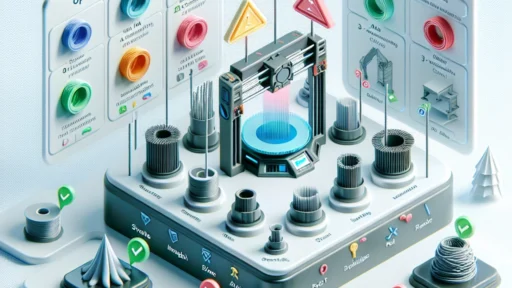
As with any new skill, there are bound to be some bumps along the way. Here are a few common challenges you might face and tips to overcome them:
-
First Layer Issues: The first layer is crucial for a successful print. If it doesn’t adhere well, you may need to recalibrate your printer’s bed level.
-
Stringing: If you notice fine strands of filament between parts of your print, this is called stringing. Adjusting the retraction settings in your slicing software can help minimize this.
-
Inaccurate Printing: If your prints don’t match your expectations, double-check your model and the slicer settings. Don’t hesitate to consult Bambu Lab’s rich online resources for troubleshooting tips.
The Thrill of Creation
3D printing can feel like magic—watching a digital design transform into a real object is immensely satisfying. With Bambu Lab, you have the tools and support to jump right into this rewarding hobby. Don’t hesitate to experiment, fail, and learn through the process. The best part about 3D printing is that there are no limits to your imagination. So, grab your filament, fire up your printer, and let your creativity soar!