
Common 3D Printing Mistakes and How to Avoid Them
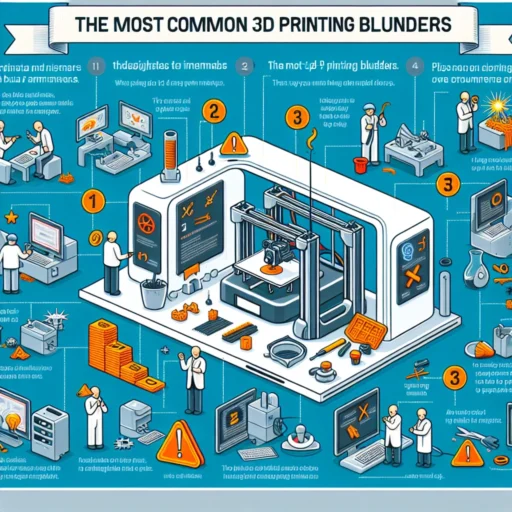
3D printing is an exciting frontier in the world of technology, art, and DIY projects. Whether you’re crafting detailed models, prototypes, or just getting your feet wet with your new 3D printer, there’s a lot to learn. As with any new venture, it’s all too easy to stumble over common pitfalls. In this post, we’ll explore some frequently encountered mistakes and how you can sidestep them for smoother sailing in your 3D printing journey.
1. Overlooking Bed Leveling
One of the most fundamental aspects of 3D printing is having your printer bed level. It’s like the foundation of your home; if it’s not right, everything else will topple. When your bed isn’t level, you may encounter issues like warping, poor adhesion, and uneven layers.
Tip to Avoid: Invest a few minutes before starting a print to ensure your bed is level. Many printers come with a built-in leveling feature, but you can always use the manual method with a piece of paper to gauge the distance between the nozzle and the bed. You should feel a slight drag when moving paper but not so much that it gets stuck.
2. Ignoring the Importance of Print Settings
Beginners often don’t realize how crucial print settings are for the success of a print job. Settings such as layer height, print speed, and temperature can make or break your project, leading to prints that don’t adhere well or break apart.
Tip to Avoid: Familiarize yourself with the material you’re using and adjust your print settings accordingly. Most slicing software includes preset profiles for different materials—use these as a starting point and tweak them based on your experience. Keep notes of what works best for your favorite filaments!
3. Choosing the Wrong Filament
With so many filament choices out there—from PLA to ABS, PETG to TPU—it can be overwhelming to select the right one for your print. Using an unsuitable filament can result in challenges, including poor adhesion, the dreaded stringing or even jams in your extruder.
Tip to Avoid: Research the pros and cons of each filament type. If you’re just starting, PLA is usually the friendliest option; it’s easy to work with and has good layer adhesion. As you gain confidence, explore other materials that align with your project goals.
4. Not Using Supports when Necessary
Let’s face it: some prints require a bit of extra help. Skipping support structures for complex designs can lead to catastrophic failures mid-print or during removal.
Tip to Avoid: Use your slicing software to analyze your model and decide whether supports are necessary. If there are large overhangs, using supports will drastically improve your print quality. But don’t forget to adjust the settings for the supports themselves—like spacing and density—so they’re effective yet easy to remove when the print is finished.
5. Neglecting to Clean Your Print Nozzle
Over time, the print nozzle can get clogged from burnt filament residue or other debris. A blocked nozzle can lead to under-extrusion (where the printer isn’t putting out enough filament), meaning a poor-quality print.
Tip to Avoid: Regularly clean your nozzle and consider performing a cold pull to clear any blockages. This involves heating the nozzle and then pulling out filament at a lower temperature, effectively cleaning it out. Keeping your nozzle clean can help ensure consistent prints.
6. Failing to Monitor Initial Layers
They say you only get one chance to make a first impression, and the same goes for 3D printing. The first few layers of your print set the tone; if they aren’t adhered well, the entire print is doomed.
Tip to Avoid: Stay close by during those critical early layers. If you see the filament not adhering properly, stop the print and adjust your settings. Watching this part closely can save you time and materials!
7. Not Experimenting Enough
It can be tempting to stick with what works, but playing it too safe can limit your skills and creativity. Fear of failure might hold you back from trying new settings, materials, or advancements.
Tip to Avoid: Embrace experimentation! Use your less successful prints as lessons. Adjust parameters, try different filaments, or tweak geometries. Each print, whether a success or a failure, paves the way for improvement.
Diving into 3D printing can feel a bit overwhelming at times, but it’s all about learning from your experiences and adjusting your approach. By avoiding common mistakes and continuously exploring new techniques, you’ll not only enhance your skills but also enjoy the satisfaction of creating amazing prints. Remember, every print matters, and with a little patience, you’ll go from beginner to pro in no time! Happy printing!