
How to Maintain and Care for Your 3D Printer
3D printing is an exciting hobby that combines technology, creativity, and a hefty dose of patience. Whether you’re a beginner or a seasoned pro, proper care and maintenance of your 3D printer are essential to ensure consistent performance and longevity. Let’s dive into some practical tips that will help you keep your 3D printer in top shape and your printing projects seamless!
Regular Cleaning
Just like any other machine, a 3D printer benefits greatly from regular cleaning. Dust, debris, and leftover filament residues can accumulate over time, potentially causing print issues or even damaging components.
-
Exterior Cleaning: Use a microfiber cloth to wipe down the exterior of your printer regularly. This keeps it looking nice and helps prevent dust from getting into moving parts.
-
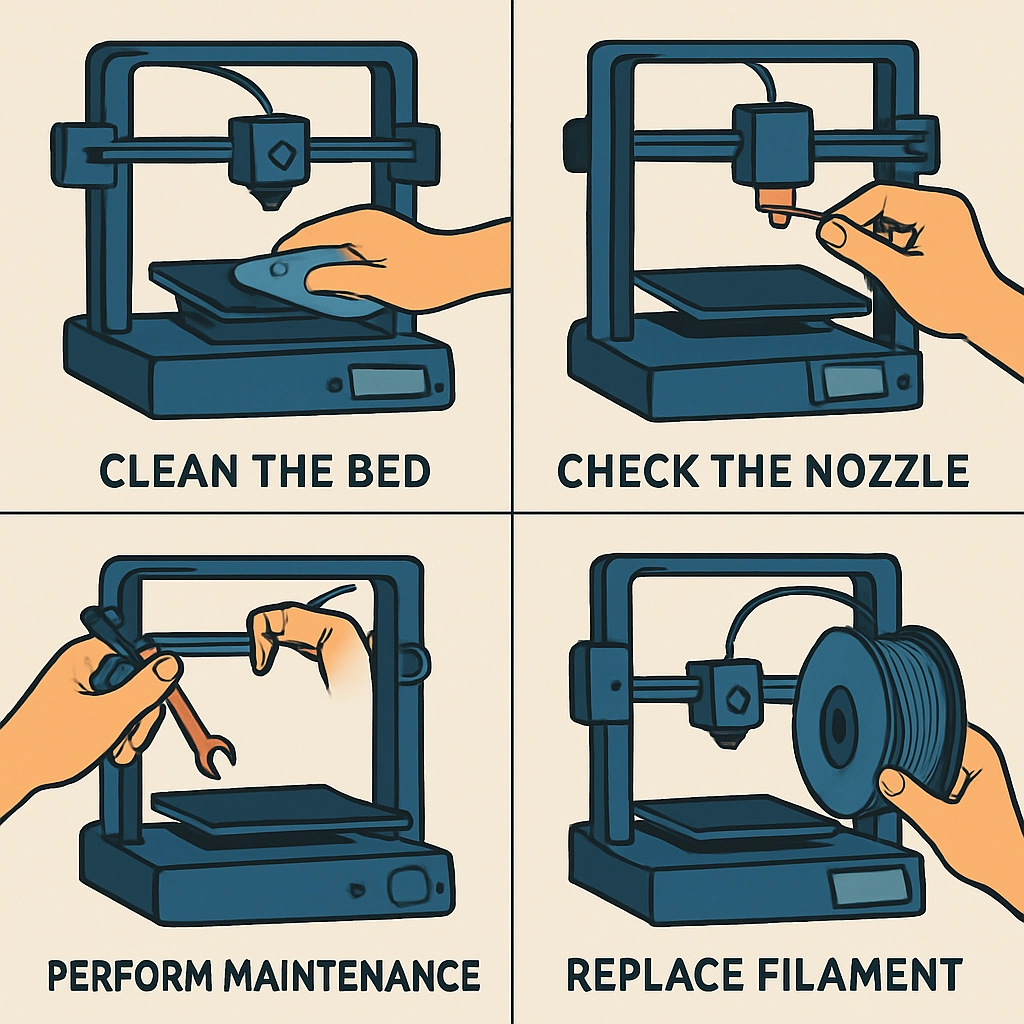
Nozzle and Hotend: A clogged nozzle is one of the most common problems, often caused by filament residue. Use a needle or dedicated cleaning filament to clear the nozzle at the end of your printing session. Additionally, performing a cold pull (heating the nozzle to a lower temperature and pulling the filament out) can help remove any leftover debris.
-
Build Plate: After each print, check the build plate for any leftover material. A clean printing surface ensures better adhesion for your next project. Depending on the material, you can use isopropyl alcohol or a soapy water solution to clean it gently.
Regular Lubrication
Keeping the moving parts of your 3D printer well-lubricated is essential. This helps reduce friction and wear, promoting smoother movements and reducing noise.
-
Linear Rails and Rods: Use a lubricant designed for machinery to apply a thin coat to linear rails and rods. Avoid getting lubricant on the belts, as this can make them slippery and interfere with their function.
-
Lead Screws: Apply a small amount of grease to the lead screws at least once a month. This upkeep will prevent wear and ensure smooth vertical movements.
Calibration
You wouldn’t drive a car without ensuring the tires are properly inflated, right? The same goes for 3D printers. Routine calibration not only improves print quality but also extends the life of your printer.
-
Bed Leveling: A well-leveled bed is crucial. It ensures that your prints adhere properly and reduces the risk of warping. Depending on your model, you might need to do this manually or it could involve an auto-bed leveling feature.
-
Extruder Steps: Over time, your extruder may deviate from its original settings. Running a test print to check extrusion can save you headaches. You want your extruder to deliver exactly the amount of filament intended!
Monitor the Filament
Filament is the lifeblood of your 3D printing projects, and how you handle it can influence the quality of your prints as well.
-
Storage: Store your filament in a cool, dry place. Plastic filaments, especially PLA and Nylon, can absorb moisture from the air, leading to poor print quality. Using airtight containers with silica gel can help keep things fresh.
-
Inspect Before Use: Before loading new filament, inspect it for knots, tangles, or breaks. A tangled spool can result in a failed print and added frustration.
Updating Firmware
Lastly, don’t neglect the software side of things! Keeping your printer’s firmware up to date ensures you have the latest features, bug fixes, and improvements.
-
Regular Checks: Check the manufacturer’s website for firmware updates periodically. Installing updates may seem tedious, but it can significantly enhance your printer’s performance and offer improved safety features.
-
Backup Settings: Consider backing up your printer settings before updating. This way, if anything goes awry, you can revert back to your previous setup without too much hassle.
The Wrap-Up
Maintaining your 3D printer doesn’t have to be an overwhelming chore; think of it more as a ritual that will keep your creative juices flowing smoothly. A little bit of regular care goes a long way in ensuring your printer continues to produce high-quality prints for years to come. By staying on top of cleaning, lubrication, calibration, and software updates, you can focus more on the exciting projects ahead rather than troubleshooting frustrating printer problems. Now go ahead and print something amazing—you’ve got this!