
A Beginner’s Guide to Setting Up Your First 3D Printer
So you’ve taken the plunge and purchased your very first 3D printer! Congratulations! Whether you’re eager to print models for hobbies, prototypes for work, or even just to satisfy your curiosity about all things techy, setting up your 3D printer can feel a bit daunting at first. But fear not! This friendly guide will walk you through the initial setup and get you on the path to creating awesome 3D prints.
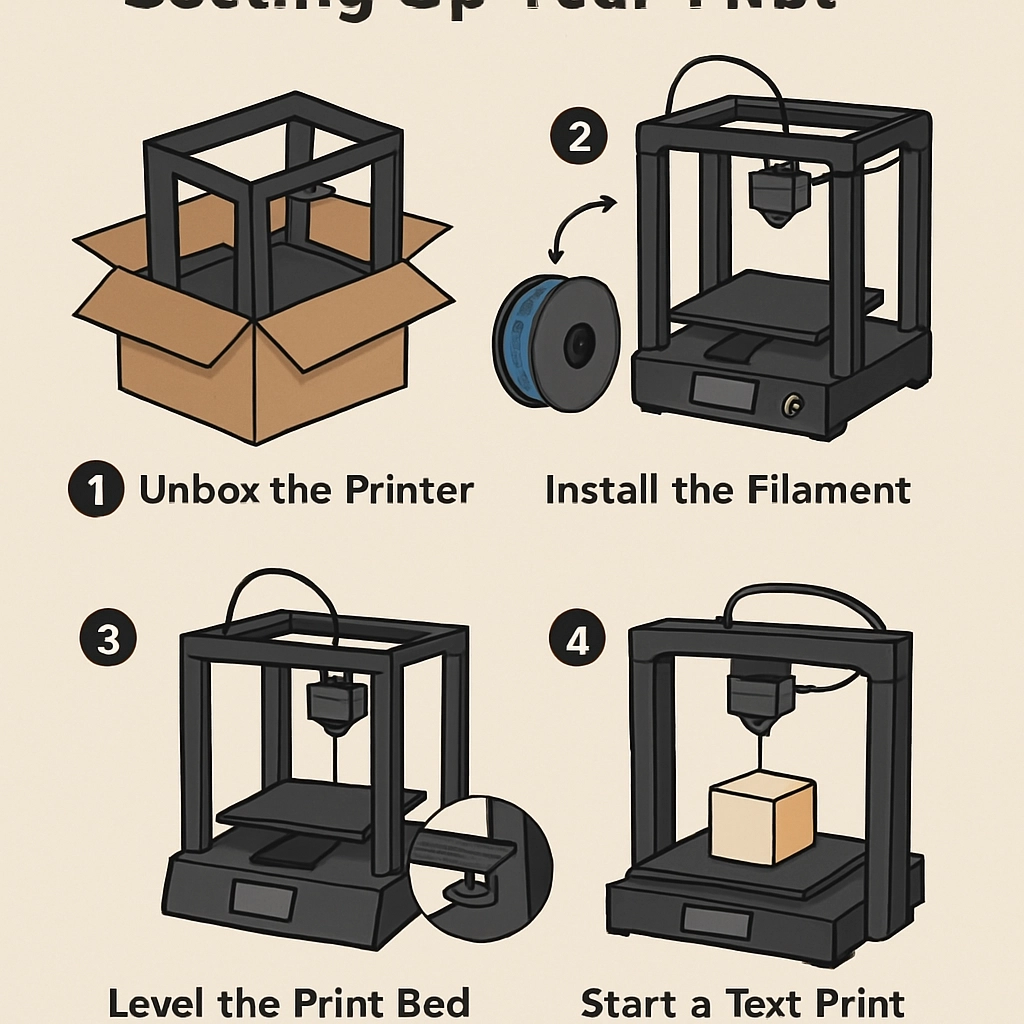
Unboxing Your 3D Printer
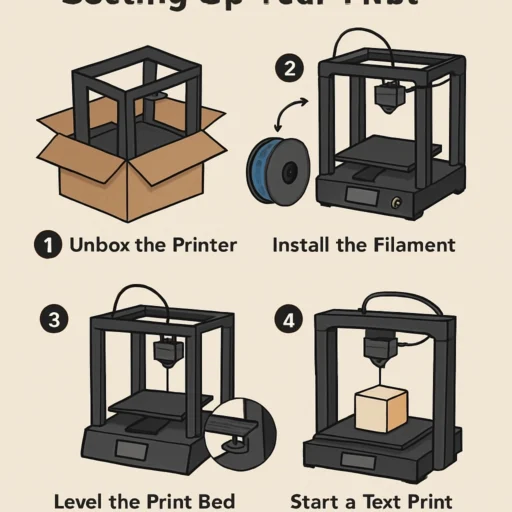
First things first, let’s talk about that glorious moment when you unbox your new machine. Take a moment to admire the sleek design of your printer; it’s like getting a shiny new toy. Carefully remove all the components from the box. You’ll usually find:
- The printer itself
- A power cable
- A filament spool (sometimes included)
- A USB drive or SD card with software
- Various tools and instructions
It’s crucial to keep your packaging, at least for a little while, in case you need to return or exchange your printer.
Reading the Manual
Now that you have all your bits and pieces laid out, it’s time to dive into that manual. I know, I know—manuals can be a drag, but trust me, they often contain the essential information you’ll need to get started. It provides a roadmap for assembly and setup, and following it will likely save you from some trial-and-error headaches down the line.
Assembling the Printer
Depending on the model, your 3D printer might come pre-assembled or require some setup. If you opted for a kit, follow those instructions closely. Here are some common assembly points to consider:
- Frame Structure: Make sure the frame is square and sturdy to ensure accuracy in prints.
- Printing Bed: Get that print bed installed correctly—some models require leveling, so pay attention to that detail.
- Extruder Installation: This is the part that feeds the filament; make sure it’s fitted snugly.
Don’t hesitate to consult online communities or video tutorials if any part of the assembly doesn’t make sense. There are plenty of experienced hobbyists out there willing to help!
Leveling the Print Bed
Ahh, the sacred art of bed leveling! This step is critical. An uneven printing surface can lead to failed prints and frustration. Here’s how you can do it:
- Preheat your printer to the temperature you’ll be using for printing.
- Move the print head close to each corner of the bed, leaving a piece of paper between the nozzle and the bed. Adjust the bed height until you feel a slight drag when you move the paper.
- Repeat for all four corners and the center.
It sounds tedious, but getting this right will pay off big time in print quality.
Getting Your Filament Ready
Now, onto one of the best parts—loading your filament! Most beginner printers use PLA, which is user-friendly and comes in a variety of colors. Insert the spool into the holder on your printer, feed the filament through the extruder, and make sure it’s engaging with the gears properly. It might take a few tries to get the hang of this step, but soon you’ll be a pro at loading new colors into your printer!
Software Setup
Before you start printing, you need to slice your models. Slicing software transforms 3D models into a language your printer understands. Most printers come with dedicated software or recommendations for popular options like Ultimaker Cura or PrusaSlicer. Download and install your chosen software, then upload a model (you can find many free designs online) and slice it according to your printer’s specifications.
First Print Time!
Once you’ve sliced your model, it’s finally time to hit that print button! But before you go charging into your first print, take a few minutes to double-check everything. Is the filament loaded? Is the bed leveled? Press ‘Print,’ and sit back in anticipation. It may take a while, especially if you’re printing larger models, but patience is key!
Troubleshooting Basics
Don’t be discouraged if your first print doesn’t come out perfectly—this is all part of the learning curve. Common issues include warping or adhesion problems. Keep an eye on online forums and communities for troubleshooting tips; you’ll find a treasure trove of solutions.
Setting up your first 3D printer is an exciting journey filled with opportunity and creativity. Don’t hesitate to experiment, learn, and grow as you navigate this fascinating world. Who knows what incredible things you’ll create? With each print, you’ll learn more about this technology, unlocking endless possibilities. So roll up your sleeves, get printing, and enjoy the process—because in the world of 3D printing, your imagination is just the beginning!