How to Maintain Your 3D Printer for Long-lasting Performance
If you’ve caught the 3D printing bug, you’re not alone. This fascinating blend of art and technology has captured the imaginations of makers, hobbyists, and professionals alike. Whether you’re printing miniatures, prototypes, or custom tools, maintaining your 3D printer is essential for long-lasting performance and consistent quality. So, let’s dive into some friendly tips on keeping your printer in tip-top shape!
Keep It Clean
A clean machine is a happy machine! Over time, dust, filament residue, and other debris can accumulate on your 3D printer. Make it a habit to clean both the exterior and interior of your printer regularly. Here’s how:
-
Exterior Cleaning: Wipe down the frame and any visible parts with a soft cloth. Avoid strong solvents that could damage the printer’s finish.
-
Nozzle Maintenance: Filament can build up in the nozzle, leading to clogs. Use a cleaning filament periodically or perform a cold pull technique to keep it fresh. If you notice a significant drop in print quality, it might be time for a more thorough cleaning.
-
Build Plate Care: Depending on the material you’re using, the build plate can become coated with residue. Clean it with isopropyl alcohol or warm soapy water, and don’t forget to check the surface adhesion properties.
Proper Calibration
Calibrating your printer isn’t just a “set it and forget it” task. Regular calibration will ensure your prints are accurate and of high quality. Spend a few minutes every month (or every few dozen prints) to check:
-
Bed Leveling: A leveled bed avoids adhesion problems. Use a piece of paper for manual leveling, or leverage auto-bed leveling features if your printer has them.
-
Extrusion Multiplier: Ensure your extrusion settings are accurate. Under-extrusion can lead to gaps in prints, while over-extrusion can cause blobs.
-
Temperature Settings: Different filaments need different temperatures. Check your settings against manufacturer recommendations, and consider investing in a temperature tower test to find the sweet spot for each filament type.
Filament Storage
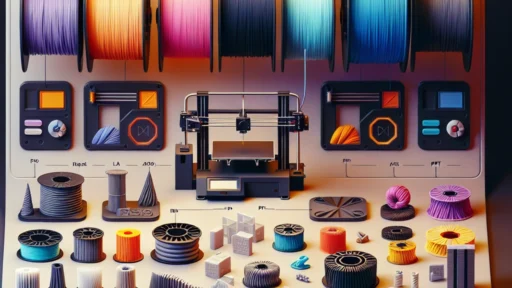
One of the unassuming heroes of your 3D printing journey is well-stored filament. Poor storage can lead to moisture absorption and degradation. Here’s what you can do to shield your precious filaments:
-
Sealed Bags or Containers: Keep your filaments in airtight containers with desiccants. This will keep out moisture, which is especially important for hygroscopic materials like nylon or PETG.
-
Drying: If your filament has taken a dip in humidity, you can dry it out using a filament dryer or a conventional home oven (just watch that temperature!).
Regular Firmware Updates
Just like any tech device, your 3D printer might benefit from firmware updates. Many manufacturers periodically release updates that fix bugs or enhance performance. Connecting your printer to the manufacturer’s website is a wise move—just be sure to follow the instructions carefully.
Component Checks
Every now and then, check for wear and tear in your printer’s components:
-
Belts: Make sure they’re taut but not overly tight. A loose belt can lead to inaccurate prints and layer misalignment.
-
Linear Rails and Rods: Clean and lubricate these periodically to ensure smooth movement. No one likes a sticky printer!
-
Fans: Keep an eye on the cooling fans. Dust them off to prevent overheating and ensure efficient cooling during prints.
Mind the Temperature
3D printers can crank out a lot of heat. While some components are designed to handle it, regular checks on all electrical connections, including wires and heat breaks, are a great idea for preventing electrical problems. If you notice any fraying or burnt smells, it’s best to address these issues before they become serious.
Print Responsibly
The best maintenance strategy is to develop a mindful printing habit. Before starting a long print, double-check your settings, ensure the printer is clean, and that you’re using good-quality filament. Also, consider starting with smaller test prints to avoid wasting filament while troubleshooting.
Keeping a 3D printer healthy might seem like a daunting task, but with regular checks and a bit of care, it can be straightforward and even enjoyable! Think of it as a little ritual—a way to connect with your creative process while ensuring your machine is always ready to turn your ideas into reality. Happy printing!