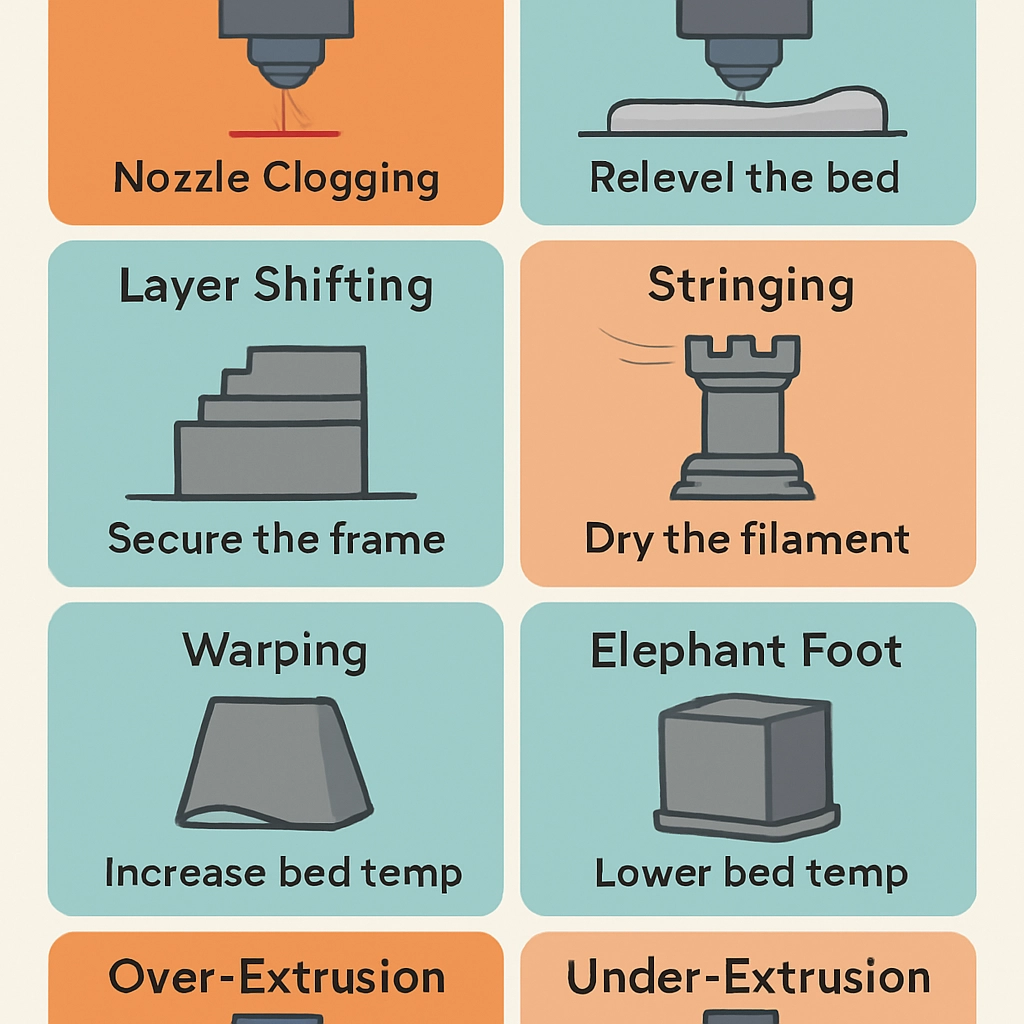

How to Troubleshoot Common 3D Printing Issues
So you’ve finally decided to dip your toes into the exciting world of 3D printing. You’ve watched tutorials, picked out the perfect model, and perhaps you’ve even invested in a shiny new printer. But as with any tech-related venture, the journey doesn’t always go smoothly. From layer adhesion problems to misaligned prints, troubleshooting can feel like a maze of confusion. Fear not! Let’s dig into some common 3D printing issues you might encounter along the way and how to tackle them head-on.
1. The First Layer Doesn’t Stick
We’ve all been there. You set up your printer, start the print, and eagerly await that first solid layer—but it just doesn’t adhere. Instead, it looks like your printer is performing some sort of odd dance. A few reasons can contribute to this frustrating issue:
-
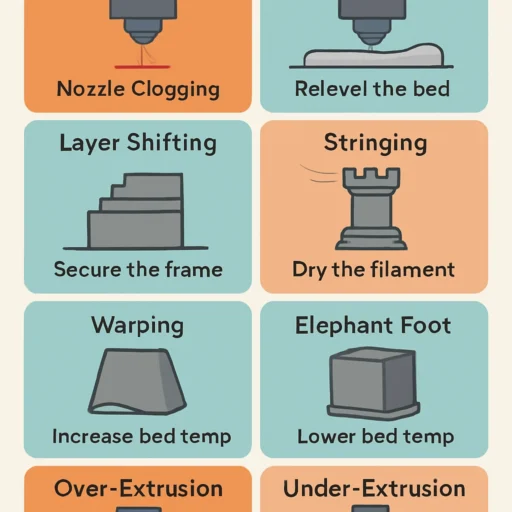
Bed Leveling: One of the most common culprits is improper bed leveling. If the print bed isn’t aligned correctly, the nozzle may be too far from the print surface. Make sure to calibrate your bed before every print.
-
Surface Material: The type of print surface can affect adhesion. Try different surfaces like glass, PEI sheets, or even painter’s tape. Each can provide varying levels of stickiness, depending on your filament.
-
Cleanliness: Don’t underestimate the power of a clean bed. Dust, oil, or old filament residue can lead to adhesion failure. A quick wipe with isopropyl alcohol can work wonders.
2. Filament Jams
If you start hearing some strange grinding noises, odds are your printer is struggling to push filament through the nozzle. Filament jams are a surefire way to throw a wrench in your printing plans. Here’s how to troubleshoot:
-
Check for Obstructions: First things first, gently remove the filament and check for any obstructions in the nozzle. If you spot any, it might be time to perform a nozzle cleaning using a thin needle or a dedicated cleaning filament.
-
Temperature Settings: Make sure your printer is set to the correct temperature for the filament you’re using. Too low, and the filament won’t melt properly; too high, and you risk burning it.
-
Filament Quality: Sometimes, it’s the filament itself that’s the issue. Low-quality or damp filament can lead to jams. Store your filament in a cool, dry place and consider investing in higher quality brands.
3. Layer Misalignment
Have you ever finished a print only to discover it looks like it’s been through a funhouse mirror? Misalignment issues can be particularly frustrating. Here’s what to look for:
-
Belt Tension: Check your printer’s belts. If they’re too loose, they won’t hold their position properly, leading to layer misalignment. Adjust the tension until they’re snug but not overly tight.
-
Stepper Motor Issues: Ensure that the stepper motors are functioning properly. A malfunctioning motor can skip steps, resulting in misaligned layers.
-
Frame Stability: Sometimes, the very structure of your printer could be at fault if it’s not sturdy. Make sure your printer is on a stable surface and that all screws and connections are tight.
4. Stringing and Oozing
Stringing looks like a web of spaghetti has crawled its way through your print. It occurs when the nozzle oozes filament as it moves from one point to another. Here’s how to fix it:
-
Retraction Settings: Adjust the retraction settings in your slicer software. Increasing the retraction distance and speed can help reduce stringing by pulling the filament back before the nozzle moves.
-
Temperature Adjustments: Lowering the extruder temperature can also help reduce ooze. Just be careful not to go too low, as this could lead to other issues.
-
Travel Speed: Increasing the travel speed can minimize the time the nozzle spends moving across open areas, thus reducing the chances for unwanted oozing.
5. Inconsistent Colors or Patterns
If you’re using multi-material prints or changing filament colors and are finding inconsistencies, it might be time to think about how you’re cleaning the nozzle. Residue from previous filaments can lead to uneven colors. A thorough cleaning can help produce those vibrant, consistent prints you’re after.
Wrapping It Up
3D printing is an incredible blend of creativity and technology, but it doesn’t come without its challenges. With a little patience and a proactive approach to troubleshooting, you can overcome most of these common obstacles. Remember, every misprint is just a stepping stone to improved skills and knowledge. Embrace the journey, tweak your setup, and soon you’ll be cranking out impressive prints like a pro! Happy printing!